
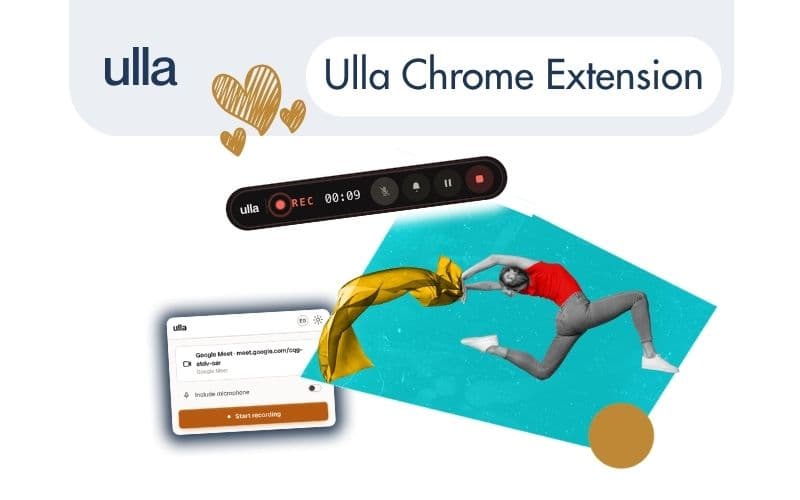
Every team handles meetings differently. Some prefer a calendar bot, others want to capture conversations on the move, and many want a clean browser setup without extra participants showing up on a call.
To give you complete flexibility, we are expanding how you can capture conversations. Alongside our meeting bot and mobile app, we are launching the official Ulla Chrome Extension.
Here is how you can record your meetings with Ulla, depending on what fits your workflow best.
🧩 1. Chrome Extension (New release)
For those who want a streamlined setup without inviting a bot to the call, the browser extension is the cleanest approach. It acts like a secure, smart digital recorder right inside your browser.
- How to get started: Open your Ulla dashboard, click the rainbow "Install Extension" button at the top menu, and add it to Chrome. Once pinned to your browser toolbar, you can easily access it or jump straight to your dashboard.
- One-click start: Hit start when your meeting begins. You can pause or stop whenever you need - pausing keeps the session running, while stopping finalizes and closes the recording.
- No extra participants: No recording bot appears in your meeting room, keeping discussions completely natural and discreet.
- What it captures: It records both the specific browser tab audio and screen context securely.
- Who owns the script & sharing: The resulting script is saved directly to the account of the person who initiated the recording. By default, it is private to you, but you can easily share it with colleagues when needed.
- Easy renaming: Since automated default names can be generic, you can quickly rename your script right after the call so it is easy to find later using Ulla's search.
You can install it directly from the Chrome Web Store.
🤖 2. Meeting Bot
If you prefer a hands-off approach that runs automatically in the background, the calendar bot handles it all.
- Universal compatibility: Joins Microsoft Teams, Zoom, or Google Meet seamlessly.
- Scheduled in advance: Just invite Ulla to your calendar event or meeting, and she handles the rest.
- Instant testing: You don't even need to register right away - you can use the "Try Ulla instantly" option on our website by simply pasting your meeting link.
- Automated output: Delivers the full transcript and AI summary once the meeting wraps up.
📱 3. Mobile App
For in-person catch-ups, field discussions, or conversations on the go, your phone is all you need.
- Record anywhere: Capture face-to-face meetings just like a voice recorder.
- On-the-go AI: Generates transcripts and summaries straight from your mobile device.
- Full access: Review all your past meetings, notes, and AI chats anytime.
Available now for download on the App Store and Google Play.
Get started for free Ulla Notetaker is completely free to use - no hidden limits, no trial periods. Head over to the site, choose your preferred way to record, and try it out.