Ulla® Notetaker

is the most simple and secure AI instrument in a world

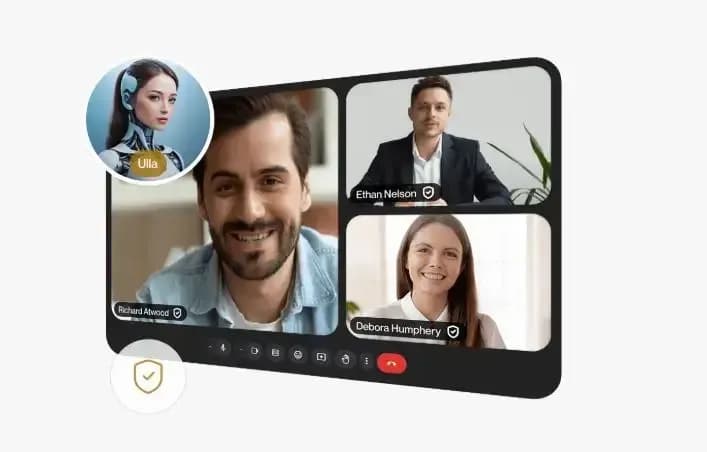
Ulla Notetaker captures meetings, creates clear summaries with action points, and keeps teams focused on what matters.

Simply sign in, and your dashboard is ready. This is where you find your meeting transcripts and summaries. When you schedule a meeting in Google Calendar, Microsoft Outlook, or Zoom, invite Ulla as bot@ulla.bot as an attendee. That is it.
  • GDPR, SOC2, ISO 27001
  • No OpenAI
  • Understand specific terminology
  • Industry-specific summaries
  • Multiple languages
  • Accents and pronunciation
Capture
Get started for freeSee how it works
Invite:bot@ulla.bot
  • google meet logo
  • teams logo
  • zoom logo
  • clio logo
  • slack logo

Schedule a 1:1 demo call with our product specialist

We will tailor the demo to our priorities and talk about the onboarding, compliance, and employee experience.

Why ULLA ® Notetaker?

  • Privacy-first

    Experience unmatched security with flexible customisation

    Unlike other AI assistants, Ulla operates without relying on third-party services like OpenAI, ensuring zero external data exposure.

  • Industry-specific processing

    Take structured insights: transcripts, summaries, action items, and more

    Designed for professionals in law, healthcare, finance, and more, Ulla processes complex terminology, extracts key insights, and structures conversations into actionable reports.

  • Advanced speech recognition

    Break free from language barriers, accents, and pronunciation

    Ulla eliminates communication obstacles by accurately transcribing and summarising meetings in 50+ languages, adapting to accents and pronunciation.

Just invite Ulla to your meeting or add her to your calendar,

and she will handle the rest

Ulla Notetaker seamlessly supports you before, during, and after every meeting so that you stay focused while she handles the details.

meetings_3_conferences_1
  • Before the Meeting

    Automatically joins your meeting

    Simply sign in then invite bot@ulla.bot to your conferencing platform for another meeting. Google Meet, Microsoft Team, Zoom. Your dashboard shows transcripts and summaries.

  • During the Meeting

    Records, analyses, and structures your meeting

    Ulla Notetaker joins silently. It captures action points and clearly summarises key decisions and issues; recognises different accents and languages; filters out natural rambling and digressions staying focused on the subject.

  • After the Meeting

    Processes and delivers meeting insights

    After the meeting it delivers a high quality, well structured transcript to all participants. Choose how you want to receive transcripts by Email, Slack, Clio, or all three.

What is inside

  • Key Meeting Topics

    Generate the key topics from your meetings, helping you stay productive and keeping everyone informed.

  • Actionable To-Do Lists

    Create tasks for each participant based on the meeting discussions, ensuring everyone knows their responsibilities and deadlines.

  • Next Steps Overview

    Outline the next steps for your team, ensuring everyone is coordinated and informed, even if they missed the meeting.

  • Meeting Summary

    Provide a concise summary of your meetings, capturing the essence of your discussions and saving you time.

  • Customisable Summary Templates

    Offer ready-made or custom summary templates that fit your specific needs, making your meetings easily understandable for the whole team.

  • Editable Summaries

    Allow you to edit my summaries, so you can tailor them to be accurate and relevant to your needs.

  • File Transcription

    Just upload any audio file, and Ulla Notetaker will transcribe it for you, storing everything in a searchable, accessible location for your team.

  • Automatic Meeting Recording

    Seamlessly join your meetings, record every session, and ensure nothing is missed so you can focus on the conversation.

  • Audio Timestamps

    Separate audio tracks by speaker, letting you quickly review specific parts of the conversation and even adjust the playback speed for efficiency.

  • Automatic Language Detection

    Automatically detect and transcribe the spoken language, ensuring accurate transcriptions no matter what language is used.

  • Speaker Identification & Customisation

    Identify speakers in your meetings and keep clear records of who said what. You can also set and customise names for accurate transcription.

Schedule a 1:1 demo call with our product specialist

We will tailor the demo to our priorities and talk about the onboarding, compliance, and employee experience.